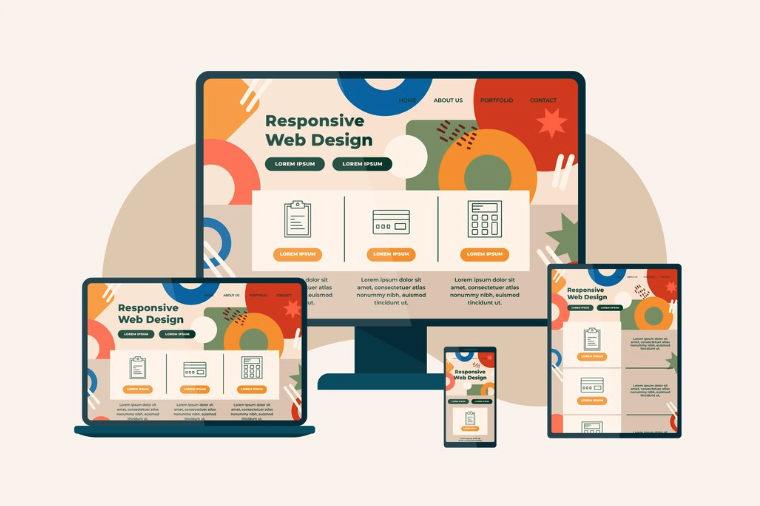
In today’s mobile-first digital landscape, responsive WordPress design has evolved from a nice-to-have feature to an absolute business necessity. With over 60% of global website traffic coming from mobile devices, your WordPress website must deliver a seamless experience across all screen sizes—from smartphones and tablets to desktop computers. A responsive design ensures your content adapts fluidly to any device, maintaining functionality, readability, and visual appeal regardless of how visitors access your site.
For business owners and CTOs, understanding the importance of responsive WordPress design isn’t just about aesthetics—it’s about revenue, user engagement, and competitive advantage. A poorly optimized mobile experience can cost you customers, damage your search engine rankings, and ultimately impact your bottom line. Let’s explore why responsive design should be a cornerstone of your WordPress project strategy.
Responsive WordPress design is a web development approach that enables your website to automatically adjust its layout, images, and functionality based on the user’s screen size and device. Instead of creating separate mobile and desktop versions, responsive design uses flexible grids, fluid images, and CSS media queries to create a single website that works beautifully everywhere.
Key characteristics include:
- Fluid grid layouts that scale proportionally
- Flexible images and media that resize within containers
- CSS media queries that apply different styles based on screen dimensions
- Touch-friendly navigation optimized for mobile interactions
- Fast loading times across all devices
Unlike older approaches like separate mobile sites (m.domain.com) or adaptive design with fixed breakpoints, responsive WordPress design provides a unified, future-proof solution that works on devices that don’t even exist yet.
Why Responsive WordPress Design Matters for Your Business
Mobile Traffic Dominates the Digital Landscape
The statistics are compelling: according to Statista, mobile devices account for approximately 60% of all web traffic globally. For e-commerce sites, mobile commerce represents over 70% of total online sales. If your WordPress site doesn’t provide an optimal mobile experience, you’re essentially turning away more than half of your potential customers.
Business impact:
- 58% of users won’t recommend a business with a poorly designed mobile site
- 40% of visitors will navigate to a competitor’s site if yours doesn’t load properly on mobile
- Mobile-optimized sites see average conversion rates 64% higher than non-responsive sites
SEO Benefits and Google Rankings
Google implemented mobile-first indexing in 2019, meaning the search engine primarily uses the mobile version of your website for ranking and indexing. Without responsive WordPress design, your site’s search visibility will suffer dramatically.
SEO advantages of responsive design:
- Single URL structure – easier for Google to crawl and index
- Lower bounce rates – mobile users stay longer on responsive sites
- Improved Core Web Vitals – faster loading and better user experience metrics
- No duplicate content issues – unlike separate mobile sites
- Better backlink equity – all links point to one URL, consolidating authority
According to Google’s Search Central documentation, responsive design is Google’s recommended design pattern for mobile-optimized websites.
User Experience Drives Business Results
User experience isn’t just about aesthetics—it directly impacts your revenue and customer satisfaction. Responsive WordPress design ensures that every visitor, regardless of their device, can:
- Navigate your site easily with touch or mouse
- Read content without pinching or zooming
- Complete forms and checkout processes smoothly
- Access all features and functionality
- Load pages quickly with optimized images
Real-world impact: Companies that invest in responsive design report average increases of 20-30% in mobile conversions and a 25% reduction in bounce rates.
Key Elements of Responsive WordPress Design
Implementing responsive WordPress design involves several critical components working together harmoniously:
| Element | Purpose | Implementation |
|---|---|---|
| Fluid Grid System | Allows layout to scale proportionally | Use percentage-based widths instead of fixed pixels |
| Flexible Images | Prevents images from breaking layouts | CSS max-width: 100%; height: auto; |
| Media Queries | Applies device-specific styles | CSS breakpoints at 320px, 768px, 1024px, 1200px+ |
| Responsive Typography | Ensures readability across devices | Use rem/em units, clamp() function for scaling |
| Touch-Friendly Navigation | Optimizes for finger taps vs mouse clicks | Minimum 44x44px touch targets, mobile menus |
| Performance Optimization | Ensures fast loading on all devices | Lazy loading, responsive images with srcset |
Modern WordPress themes like Astra, GeneratePress, and OceanWP come with built-in responsive frameworks, but customization is often necessary to align with your specific business needs and branding requirements.
Best Practices for Implementing Responsive WordPress Design
1. Choose a Responsive-First WordPress Theme
Start with a theme built on a responsive framework. Look for themes that:
- Are regularly updated and well-supported
- Include mobile-specific customization options
- Pass Google’s Mobile-Friendly Test
- Load quickly (under 3 seconds on 3G connections)
2. Optimize Images for Multiple Screen Sizes
Images are often the heaviest elements on a page. Implement:
- Responsive image techniques using WordPress’s built-in srcset functionality
- WebP format for smaller file sizes without quality loss
- Lazy loading to defer off-screen images
- Proper image dimensions – never force browsers to resize large images
3. Test Across Real Devices and Browsers
Don’t rely solely on desktop browser tools. Test your responsive WordPress design on:
- Actual smartphones (iOS and Android)
- Tablets in both orientations
- Different browsers (Chrome, Safari, Firefox, Edge)
- Various screen sizes and resolutions
Tools to use: Google’s Mobile-Friendly Test, BrowserStack, Chrome DevTools Device Mode, and PageSpeed Insights.
4. Prioritize Performance and Loading Speed
Mobile users often have slower connections. Optimize your responsive WordPress design by:
- Minimizing HTTP requests
- Implementing browser caching
- Using a Content Delivery Network (CDN)
- Minifying CSS, JavaScript, and HTML
- Choosing a quality hosting provider with good mobile performance
5. Simplify Navigation for Mobile Users
Complex mega-menus don’t translate well to small screens. Create:
- Hamburger menus that conserve screen space
- Sticky headers for easy navigation while scrolling
- Clear call-to-action buttons that are thumb-friendly
- Search functionality prominently placed for quick access
Common Mistakes to Avoid in Responsive WordPress Design
Even experienced developers can fall into these traps:
❌ Using fixed pixel widths instead of percentage-based or viewport units
✅ Solution: Use CSS Grid, Flexbox, and relative units (%, vw, vh)
❌ Ignoring touch targets and button sizes
✅ Solution: Ensure interactive elements are at least 44×44 pixels
❌ Loading desktop-sized images on mobile devices
✅ Solution: Implement srcset and picture elements for responsive images
❌ Hiding content on mobile „to simplify”
✅ Solution: If content matters, find ways to present it effectively on all devices
❌ Not testing on real devices
✅ Solution: Conduct thorough testing across actual smartphones and tablets
❌ Forgetting about landscape orientation on tablets
✅ Solution: Test and optimize for both portrait and landscape modes
Real-World Example: E-Commerce Success Through Responsive Design
A mid-sized online furniture retailer approached our team with declining mobile conversions despite strong traffic numbers. Their WordPress site used an outdated theme that barely functioned on smartphones—images overlapped text, checkout buttons were microscopic, and product filters were unusable.
Our responsive WordPress design implementation included:
- Migration to a mobile-first WordPress theme optimized for WooCommerce
- Implementation of touch-friendly product galleries with swipe functionality
- Responsive checkout process with simplified form fields
- Lazy-loaded product images with proper srcset attributes
- Mobile-optimized mega-menu restructured into an accordion-style navigation
Results within 3 months:
- Mobile conversion rate increased from 1.2% to 3.8% (+217%)
- Average session duration on mobile improved by 45%
- Mobile bounce rate decreased from 68% to 42%
- Overall revenue from mobile traffic increased by 156%
- Google mobile usability issues dropped from 23 to 0
This case demonstrates that responsive WordPress design isn’t just about meeting technical requirements—it’s about unlocking revenue potential and providing the seamless experience today’s customers demand.
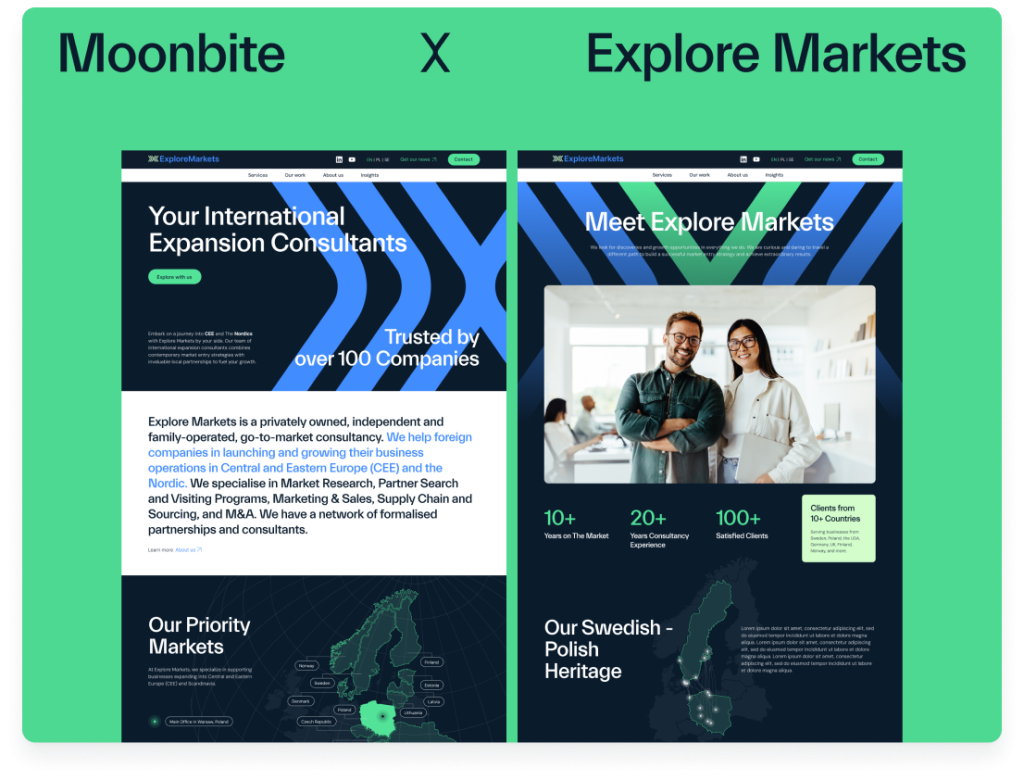
Check the full case study of WordPress web design for Explore Markets.
Measuring the Success of Your Responsive WordPress Design
After implementing responsive design, track these key metrics:
Performance Metrics:
- Mobile page load time (target: under 3 seconds)
- Core Web Vitals scores (LCP, FID, CLS)
- Mobile vs desktop bounce rates
- Pages per session by device type
Business Metrics:
- Mobile conversion rates
- Revenue by device category
- Cart abandonment rates on mobile
- Mobile-initiated customer inquiries
SEO Metrics:
- Mobile search rankings
- Mobile crawl errors in Google Search Console
- Mobile usability issues
- Organic traffic from mobile devices
Use tools like Google Analytics 4, Google Search Console, and heat mapping software like Hotjar to gain insights into how users interact with your responsive WordPress design across different devices.
Responsive WordPress Design Is a Business Investment
Responsive WordPress design isn’t optional in 2025—it’s a fundamental requirement for business success in the digital marketplace. With mobile traffic dominating, Google prioritizing mobile-first indexing, and users expecting flawless experiences across all devices, investing in proper responsive design delivers measurable ROI through increased conversions, improved SEO rankings, and enhanced user satisfaction.
Whether you’re launching a new WordPress project or redesigning an existing site, prioritizing responsive design from the start will save time, reduce development costs, and position your business for long-term growth in an increasingly mobile world.
Ready to Transform Your WordPress Website?
Our team specializes in creating high-performance, responsive WordPress designs that drive business results. We combine technical expertise with strategic thinking to deliver websites that look stunning and convert visitors into customers across every device.
Contact us today for a free responsive design audit of your current WordPress site, or explore our WordPress development services to learn how we can help you achieve your digital goals.