Building a WordPress website requires more than installing themes and plugins. The WordPress development process follows a structured methodology that ensures your website meets business objectives, performs optimally, and delivers measurable results. Whether you’re a CTO evaluating development partners or a business owner planning your digital presence, understanding this process helps you make informed decisions and set realistic expectations.
The professional WordPress development process typically spans 6-12 weeks and involves distinct phases—from initial discovery to post-launch optimization. This guide breaks down each stage, explaining what happens, why it matters, and how it impacts your final product.
Why a Structured WordPress Development Process Matters
Many businesses underestimate the complexity of professional website development. A systematic WordPress development process delivers several critical advantages:
- Risk mitigation – Identifies technical and business challenges before they become costly problems
- Budget control – Clear milestones and deliverables prevent scope creep and unexpected costs
- Quality assurance – Structured testing phases ensure the site works flawlessly across devices and browsers
- Scalability – Proper architecture supports future growth without requiring complete rebuilds
- SEO foundation – Technical optimization built into the development stages, not added as an afterthought
According to W3Techs, WordPress powers over 43% of all websites globally. However, the difference between amateur and professional implementations is vast. Professional development ensures your investment delivers long-term value.
Phase 1: Discovery and Planning in WordPress Development
The WordPress development process begins with comprehensive discovery. This phase establishes the project foundation and prevents expensive mid-project changes.
Key Activities
Business Analysis
- Identify primary business objectives (lead generation, e-commerce, brand awareness)
- Define target audience personas and user journeys
- Analyze competitor websites and industry benchmarks
- Establish success metrics and KPIs
Technical Requirements Gathering
- Document functional requirements (features, integrations, user roles)
- Identify third-party system integrations (CRM, payment gateways, marketing tools)
- Define hosting and infrastructure requirements
- Assess security and compliance needs (GDPR, PCI-DSS, accessibility standards)
Content Strategy
- Create site architecture and information hierarchy
- Plan content types (pages, posts, custom post types)
- Define SEO strategy and keyword targets
- Establish content migration plan (if redesigning an existing site)
Deliverables
- Project brief and requirements document
- Sitemap and user flow diagrams
- Technical specification document
- Project timeline and resource allocation plan
Timeline: Week 1-2
Phase 2: Design and User Experience
Visual design and UX planning occur simultaneously in the professional WordPress development process. This ensures aesthetics and functionality work in harmony.
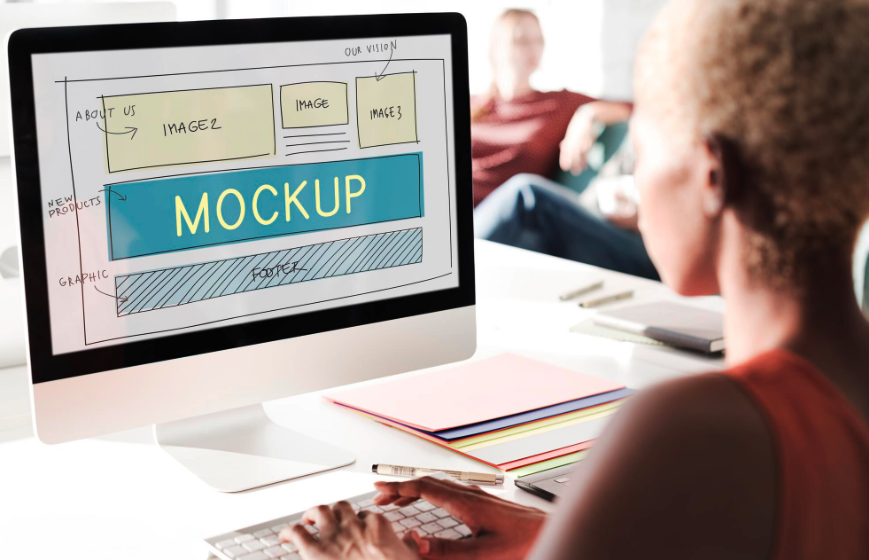
Wireframing and Prototyping
Before any visual design begins, wireframes establish the structural blueprint:
- Low-fidelity wireframes – Basic layouts showing content hierarchy and navigation
- Interactive prototypes – Clickable mockups demonstrating user interactions
- User testing – Validation with representative users to identify usability issues
Visual Design
Once structure is validated, designers create high-fidelity mockups:
- Design system creation – Typography, color palette, spacing rules, component library
- Responsive design – Desktop, tablet, and mobile layouts
- Brand alignment – Ensuring visual consistency with existing brand guidelines
- Accessibility considerations – Color contrast, text sizing, keyboard navigation support
Design Deliverables
- Complete mockups for key page templates (homepage, service pages, blog, contact)
- Design system documentation
- Asset library (icons, images, graphics)
- Style guide for future content creators
Timeline: Week 2-4
Internal link suggestion: How to Choose the Right Design System for Your Business Website
Phase 3: WordPress Development and Implementation
This phase transforms designs into a functional WordPress website. The WordPress development process follows development best practices to ensure code quality, performance, and maintainability.
Environment Setup
Professional development uses multiple environments:
| Environment | Purpose | Access |
|---|---|---|
| Local | Initial development and testing | Developer only |
| Staging | Client review and pre-launch testing | Internal team + client |
| Production | Live website | Public |
Environment Setup
Professional development uses multiple environments:
Theme Development
Custom theme development ensures your site is unique and optimized:
- Custom theme vs. theme customization – Decision based on requirements and budget
- Responsive implementation – Mobile-first development approach
- Performance optimization – Minified assets, lazy loading, optimized images
- Cross-browser compatibility – Testing in Chrome, Firefox, Safari, Edge
Plugin Integration and Custom Functionality
Strategic plugin selection balances functionality with performance:
- Essential plugins – SEO, security, caching, backups
- Custom plugin development – For unique business logic
- Third-party integrations – CRM, analytics, marketing automation platforms
- Performance considerations – Limiting plugin bloat (typically 10-20 quality plugins maximum)
Content Management System Configuration
WordPress backend configuration for optimal content management:
- Custom post types and taxonomies
- User roles and permissions structure
- Editorial workflow setup
- Media library organization
- SEO template configuration
Timeline: Week 4-8
Internal link suggestion: WordPress Performance Optimization: Technical Strategies That Work
Phase 4: Content Population and Migration
Content strategy transitions to execution. This phase of the WordPress development process involves careful content handling to preserve SEO value and user experience.
Content Creation and Migration Strategy
- New content – Writing and optimizing content based on keyword research
- Content migration – Transferring content from old systems while maintaining URL structure
- 301 redirects – Mapping old URLs to new pages to preserve search rankings
- Image optimization – Compressing images without quality loss (typically 70-80% file size reduction)
SEO Implementation
Technical SEO integration happens during content population:
- Meta titles and descriptions for all pages
- Header tag hierarchy (H1, H2, H3)
- Internal linking structure
- XML sitemap configuration
- Schema markup implementation
- Canonical URL setup
According to Google’s Search Central documentation, proper technical SEO implementation significantly impacts search visibility and user experience.
Timeline: Week 7-9
Internal link suggestion: Complete SEO Checklist for WordPress Websites
Phase 5: Testing and Quality Assurance
Rigorous testing distinguishes professional development from amateur work. The WordPress development process includes multi-layered QA:
Functional Testing
Every interactive element undergoes systematic testing:
- Forms (submission, validation, error messages, email delivery)
- Navigation (all links, menu functionality, breadcrumbs)
- Search functionality
- User registration and login flows
- E-commerce transactions (if applicable)
- Third-party integrations
Performance Testing
Speed directly impacts user experience and SEO rankings:
- Page load speed – Target: under 3 seconds for key pages
- Core Web Vitals – LCP, FID, CLS optimization
- Mobile performance – Testing on real devices and network conditions
- Stress testing – Server response under high traffic loads
Cross-Browser and Device Testing
Verification across platforms ensures consistent experience:
- Desktop browsers: Chrome, Firefox, Safari, Edge
- Mobile browsers: Safari iOS, Chrome Android
- Tablet layouts and interactions
- Screen reader compatibility (accessibility testing)
Security Audit
- Vulnerability scanning
- SSL certificate verification
- User permission testing
- Backup system verification
- Plugin security review
Timeline: Week 9-10
Phase 6: Launch and Deployment
The WordPress development process culminates in a carefully orchestrated launch sequence to minimize risk and downtime.
Pre-Launch Checklist
Before going live, verify:
- ✅ Final client approval on all content and functionality
- ✅ DNS and hosting configuration complete
- ✅ SSL certificate installed and active
- ✅ Analytics and tracking codes implemented
- ✅ Backup systems tested and verified
- ✅ 301 redirects mapped and tested
- ✅ Search engine indexing settings configured
- ✅ Performance benchmarks documented
Launch Execution
Professional launches follow a staged approach:
- Soft launch – Site accessible via direct URL for final stakeholder review
- DNS propagation – Switching domain to point to new server (24-48 hours)
- Monitoring period – Intensive observation of site performance, errors, and user behavior
- Public announcement – Marketing communications once stability confirmed
Post-Launch Immediate Actions
- Submit XML sitemap to Google Search Console and Bing Webmaster Tools
- Monitor analytics for unusual traffic patterns or errors
- Set up uptime monitoring alerts
- Create documentation for content editors
- Schedule training sessions for internal team
Timeline: Week 10-11
Phase 7: Post-Launch Optimization and Support
The professional WordPress development process extends beyond launch. Continuous improvement ensures long-term success.
First 30 Days
- Daily monitoring of site performance and error logs
- User behavior analysis via heatmaps and session recordings
- Search console monitoring for indexing issues
- Speed optimization based on real user data
- Quick fixes for any issues discovered post-launch
Ongoing Maintenance
Professional WordPress sites require regular maintenance:
- Weekly: Security monitoring and backup verification
- Monthly: Plugin and theme updates, performance reports
- Quarterly: Content audits, SEO performance review, conversion optimization
- Annually: Comprehensive site audit, technology stack review
Support Models
Most agencies offer tiered support plans:
- Basic: Emergency fixes only
- Standard: Monthly updates, monitoring, minor content changes
- Premium: Ongoing optimization, regular feature additions, strategic consulting
Real-World Example: E-Commerce Implementation
Challenge: A mid-sized retailer needed a WordPress e-commerce site integrating with their existing inventory management system.
WordPress Development Process Application:
- Discovery (2 weeks) – Extensive requirements gathering revealed complex inventory synchronization needs
- Design (3 weeks) – Created custom product filtering and user account dashboard
- Development (8 weeks) – Built custom WooCommerce extensions for inventory integration
- Testing (3 weeks) – Rigorous transaction testing and load testing for Black Friday readiness
- Launch – Phased rollout with old system running in parallel for 2 weeks
- Results – 42% increase in online conversions, 28% reduction in cart abandonment
This project demonstrated how the structured WordPress development process handles complexity while delivering measurable business results.
Common Pitfalls in WordPress Development
Even with a solid WordPress development process, these mistakes can derail projects:
- Skipping discovery – Results in scope creep and misaligned expectations
- Design without strategy – Beautiful sites that don’t achieve business goals
- Minimal testing – Leads to embarrassing bugs and user frustration
- Neglecting mobile – Over 60% of web traffic is mobile; mobile-first is essential
- Ignoring performance – Slow sites lose visitors and search rankings
- No maintenance plan – WordPress requires regular updates for security and performance
Choosing the Right Development Partner
When evaluating WordPress development agencies, assess their process maturity:
Questions to Ask:
- How do you handle requirements gathering and project discovery?
- Can you show examples of technical documentation from past projects?
- What is your QA and testing methodology?
- How do you handle change requests during development?
- What post-launch support do you provide?
- Can you provide references from similar B2B clients?
A professional agency should articulate a clear, structured WordPress development process similar to what’s outlined in this guide.
Conclusion: Process Drives Results
The professional WordPress development process isn’t bureaucracy—it’s the foundation of successful digital projects. This structured approach minimizes risk, controls costs, and most importantly, delivers websites that achieve business objectives.
Whether you’re building a corporate website, e-commerce platform, or SaaS application, following this proven WordPress development process ensures your investment delivers long-term value. The upfront investment in discovery, planning, and systematic development pays dividends through reduced maintenance costs, better user experience, and measurable business results.
Ready to Start Your WordPress Project?
Our team follows this exact WordPress development process for every client project, ensuring predictable timelines, transparent communication, and exceptional results. Contact us for a free consultation to discuss your project requirements and receive a detailed proposal tailored to your business needs.
Related resources:
- Download our WordPress Project Planning Checklist
- Read our case studies: Successful WordPress Transformations
- Schedule a technical discovery call with our team