You’ve invested in a beautiful WordPress website. Traffic is growing. Analytics show decent engagement. But when you look at actual conversions—leads, sales, sign-ups—the numbers tell a different story.
This disconnect frustrates many business leaders. The truth? A high-traffic WordPress website doesn’t automatically translate into business results. Conversion happens by design, not by accident.
After 14 years of building custom WordPress solutions for B2B companies, eCommerce brands, and startups at Moonbite, we’ve identified the strategic elements that separate websites that merely exist from those that actively drive business growth. This isn’t about plugins or templates. It’s about understanding how technology, design, and psychology converge to create measurable business outcomes.
Let’s explore the seven foundational elements that transform WordPress websites into conversion machines.
What Makes a WordPress Website „High-Converting”?
Before diving into specific elements, we need to establish what „high-converting” actually means—because it’s far more nuanced than most businesses realize.
Conversion Rate vs. Traffic Volume
A common misconception is equating traffic with success. You might celebrate 50,000 monthly visitors, but if only 0.5% take meaningful action, you’re converting just 250 people. Meanwhile, a competitor with 10,000 visitors and a 5% conversion rate captures 500 customers with significantly less traffic.
The math is simple. Your conversion rate multiplied by qualified traffic determines business impact. In our experience developing custom WordPress solutions, we’ve seen businesses double revenue not by increasing traffic, but by strategically improving conversion rates from 2% to 4%.
Business Goals Define Conversion Strategy
Conversion isn’t one-size-fits-all. For a B2B software company, conversion might mean qualified demo requests. For an eCommerce store, it’s completed purchases. For a service business, it could be consultation bookings.
At Moonbite Discovery, we always start with business objectives before touching design or code. This clarity informs every subsequent decision—from navigation structure to CTA placement to performance optimization priorities. When we work with clients through our Business Core 360 process, this strategic foundation ensures technical implementation aligns with actual business needs.
Element #1: Strategic User Experience Architecture
User experience isn’t about making things „look nice.” It’s about creating logical pathways that guide visitors toward desired actions with minimal friction.
User Journey Mapping Before Design
High-converting WordPress websites begin with understanding user intent at every stage. A visitor landing from a Google search for „B2B CRM integration” has different needs than someone coming from a LinkedIn post about digital transformation.
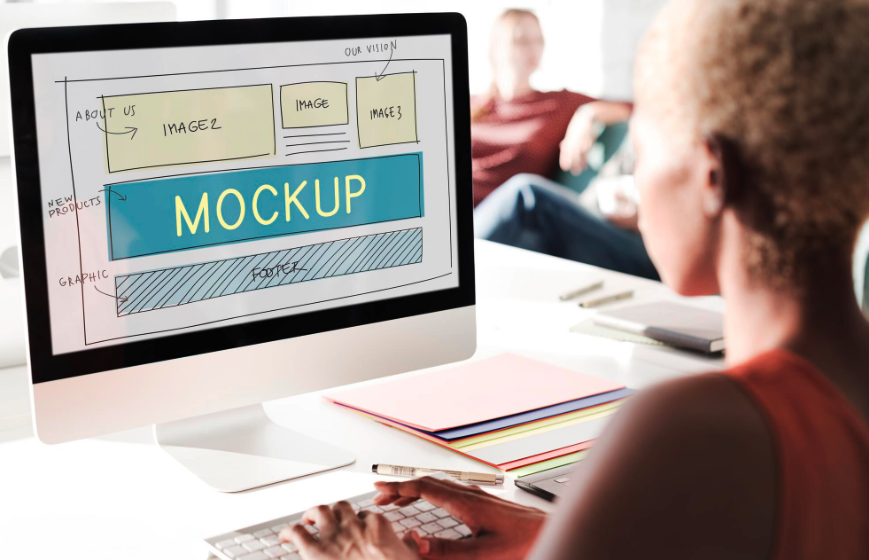
We map these journeys before wireframing a single page. What information does a COO need to trust your solution? What objections must you address for a technical decision-maker? How does a first-time visitor differ from a returning prospect?
This isn’t theoretical. In a recent B2B portal project, user journey mapping revealed that procurement managers needed quick access to technical specifications and compliance documentation—information buried three clicks deep in the old site. Bringing this forward increased qualified leads by 43%.
Information Hierarchy That Guides Action
Every page should have a clear purpose and a dominant action you want visitors to take. Yet many WordPress sites try to say everything at once, creating cognitive overload.
Strong information architecture means ruthless prioritization. Primary message and CTA above the fold. Supporting information organized by priority. Secondary actions clearly subordinate to primary goals.
In Product Intelligence 360, our discovery process includes content strategy and information architecture as foundational elements—not afterthoughts. This ensures your WordPress website structure mirrors how real users think and make decisions, not how your internal org chart is structured.
Element #2: Performance & Speed Optimization
Page speed isn’t just a technical metric—it’s a conversion factor with direct business impact.
Core Web Vitals Impact on Conversions
Google’s research shows that as page load time goes from one second to five seconds, the probability of bounce increases by 90%. For eCommerce specifically, a one-second delay in page response can result in a 7% reduction in conversions.
But Core Web Vitals matter beyond SEO rankings. Speed is user experience. A slow website signals unprofessionalism, creates doubt, and gives visitors a reason to leave before they’ve even seen your value proposition.
We’ve measured this directly. After optimizing a WordPress eCommerce site’s Largest Contentful Paint (LCP) from 4.2 seconds to 1.8 seconds, conversion rate improved from 2.1% to 3.4%—a 62% increase without changing a single element of the design.
Technical Optimization Beyond Caching Plugins
Many businesses think installing a caching plugin solves performance. It helps, but high-performing WordPress websites require deeper optimization:
Server-level architecture: Choosing appropriate hosting infrastructure that matches traffic patterns and processing needs.
Asset optimization: Strategic lazy loading, image format selection (WebP vs. JPEG), critical CSS inlining, JavaScript deferral.
Database efficiency: Query optimization, removing plugin bloat, scheduled cleanup of post revisions and transients.
CDN strategy: Distributing static assets geographically to reduce latency for global audiences.
This technical depth is why custom WordPress development differs fundamentally from template-based approaches. At Moonbite, performance optimization is integrated into our development process from day one, not bolted on afterward.
Element #3: Conversion-Focused Design System
Visual design isn’t decoration. It’s a strategic tool that directs attention and influences decision-making.
Visual Hierarchy That Drives Action
Your eyes should be drawn to the most important elements first—that’s visual hierarchy. High-converting WordPress designs use size, color, contrast, position, and white space deliberately to guide attention.
Consider a homepage: Your unique value proposition should dominate. Primary CTA should stand out through contrasting color and generous spacing. Supporting elements should be visible but clearly secondary.
We frequently audit WordPress sites where every element „competes” for attention—multiple CTAs in different colors, too many navigation options, conflicting messaging. The result? Nothing stands out, so nothing converts.
White Space, Contrast, and Attention Flow
White space isn’t empty space—it’s strategic breathing room that prevents overwhelm and focuses attention. Contrast creates clear distinctions between elements, making decision-making easier.
Think of Apple’s website. Generous white space. High contrast between background and foreground. Clear focal points. This isn’t minimalism for aesthetic sake—it’s conversion optimization through cognitive simplicity.
In our UI/UX process, we prototype and test visual hierarchy before final development. A/B testing different layouts often reveals that seemingly small design decisions—CTA button size, headline emphasis, spacing around forms—can shift conversion rates by 15-30%.
Element #4: Strategic Call-to-Action Placement
Your CTA is where design meets business outcome. Its placement, copy, and design determine whether your website passively displays information or actively generates business results.
Psychology of CTA Design and Positioning
Effective CTAs consider several psychological principles:
Visibility: Your primary CTA should be immediately noticeable. Contrasting colors (the „button color debate” matters less than contrast itself), adequate size, and strategic positioning above the fold or at natural decision points.
Clarity: Vague CTAs like „Submit” or „Click Here” underperform specific, value-oriented alternatives. „Get Your Free Analysis” outperforms „Submit” because it emphasizes benefit.
Urgency without manipulation: Genuine scarcity or time-sensitivity can motivate action, but fake countdown timers erode trust—especially in B2B contexts where purchasing decisions involve multiple stakeholders and longer consideration cycles.
Multi-Step vs. Single-Step Conversions
One of the most impactful conversion optimization strategies is often counterintuitive: adding steps can increase completion rates.
Long forms intimidate users. Breaking a 15-field form into three screens with progress indicators can improve completion rates by 20-40%. This is particularly effective for B2B lead generation where you’re asking for substantial information.
At Moonbite, when building custom WordPress solutions with complex lead qualification needs, we frequently implement multi-step forms with conditional logic. This approach reduces abandonment while simultaneously improving lead quality—sales teams receive more complete, qualified prospects.
Element #5: Trust & Authority Signals
Especially in B2B and high-consideration purchases, trust determines whether visitors convert or leave to „think about it” (and never return).
Social Proof, Testimonials, Case Studies
Human psychology relies on social validation. We trust what others have endorsed. High-converting WordPress websites strategically place trust signals throughout the user journey:
Specific testimonials: Generic praise („Great service!”) is less effective than specific outcomes („Reduced processing time from 48 hours to 6 hours, saving $50K annually”).
Recognizable logos: If you’ve worked with known brands, display them. Association builds credibility.
Case studies: Detailed success stories demonstrate capability and build confidence in your ability to deliver results.
Real numbers: Quantified results are more persuasive than qualitative claims.
Security, Compliance, and Transparency
Trust signals also include technical and operational transparency:
SSL certificates (HTTPS) are non-negotiable. Users have been trained to distrust non-secure sites.
Privacy policies and GDPR compliance signal respect for data and legal adherence.
Clear contact information including phone numbers, physical addresses, and accessible support.
Security badges for eCommerce—payment processor logos, security certifications.
E-E-A-T for WordPress Sites
Google’s E-E-A-T guidelines (Experience, Expertise, Authoritativeness, Trustworthiness) aren’t just for SEO—they’re conversion principles. Demonstrating expertise through detailed content, showcasing real experience through case studies, establishing authority through third-party validation, and building trustworthiness through transparency all contribute to both search visibility and conversion performance.
In our Business Core 360 consulting, we help clients identify and surface their strongest trust signals, ensuring their WordPress website communicates credibility at every touchpoint.
Element #6: Mobile-First Responsive Experience
Over 60% of web traffic now comes from mobile devices. Yet many WordPress sites treat mobile as an afterthought—”responsive” in the technical sense but not optimized for mobile conversion.
Beyond „Mobile Friendly”—Mobile Strategy
True mobile optimization means designing specifically for how people use smartphones:
Thumb-friendly navigation: Primary actions should be reachable with one hand. Bottom navigation often outperforms top navigation on mobile.
Simplified forms: Minimize required fields. Use appropriate input types (tel for phone numbers, email for email addresses) to trigger correct mobile keyboards.
Click-to-call functionality: For service businesses, making phone numbers immediately callable removes friction from the conversion path.
Accelerated mobile pages: While Google’s AMP project has evolved, the principle remains—mobile users expect instant loading.
Touch Targets, Forms, and Mobile Conversion Paths
Mobile users have different tolerance for complexity. A multi-column layout that works beautifully on desktop becomes overwhelming on a 6-inch screen.
We test mobile experiences on actual devices, not just browser simulations. Button sizes, spacing between clickable elements, form field dimensions—these details determine whether mobile visitors complete conversions or abandon in frustration.
Recent data from our eCommerce projects shows mobile conversion rates averaging 40% lower than desktop—not because mobile users are less qualified, but because the experience creates unnecessary friction. Fixing mobile UX issues can unlock substantial revenue from traffic you’re already generating.
Element #7: Data-Driven Optimization Infrastructure
No website is perfect at launch. High-converting WordPress sites improve continuously based on real user behavior data.
Analytics Setup That Reveals Conversion Barriers
Most WordPress sites have Google Analytics installed but aren’t measuring what matters. Basic traffic metrics don’t reveal why visitors aren’t converting.
Strategic analytics implementation includes:
Goal tracking: Specific conversion events (form submissions, purchases, downloads) as measured goals.
Funnel visualization: Understanding where users drop off in multi-step processes.
Event tracking: Monitoring specific interactions—CTA clicks, video plays, scroll depth.
Heat mapping: Visualizing where users click, scroll, and spend time on pages.
We implement comprehensive analytics architecture during development, ensuring data collection aligns with business questions from day one.
A/B Testing and Continuous Improvement
Opinions about „best practices” matter less than data about your specific audience. A/B testing removes guesswork:
Test different CTA copy, button colors, headline variations, form lengths, page layouts.
The key is testing systematically—one variable at a time, with sufficient traffic to reach statistical significance.
In our post-launch optimization as part of Business Core 360, we implement testing frameworks that allow continuous improvement. A WordPress website isn’t a finished product—it’s a business asset that should evolve based on measurable performance d
How to Implement These Elements in Your WordPress Project
Understanding these elements is one thing. Implementing them strategically is another.
Assessment Phase—Where to Start
If you have an existing WordPress site, begin with audit:
Which elements are already strong? Which need improvement? What does your data reveal about current conversion barriers?
Prioritize based on potential impact. Fixing a critical performance issue might deliver more value than redesigning a homepage that’s already performing reasonably well.
Strategy Before Technology
The biggest mistake we see companies make is jumping to solutions—”We need a new website” or „We should add this plugin”—before clearly defining business objectives and understanding user needs.
At Moonbite Discovery, our Product Intelligence 360 methodology ensures strategy guides technology decisions, not the reverse. We start with discovery: understanding your business model, competitive landscape, user personas, and conversion goals. Only then do we move to design and development.
This approach prevents expensive rebuilds. A strategically planned WordPress website built on solid UX research and conversion principles typically requires optimization, not replacement, as your business evolves.
Summary: From Good WordPress Site to Conversion Machine
Building a high-converting WordPress website isn’t about following a checklist—it’s about strategic thinking applied to every decision.
The seven elements we’ve explored are interconnected:
Performance enables good UX. Strategic design guides attention to clear CTAs. Trust signals reduce hesitation. Mobile optimization captures all traffic segments. Data infrastructure enables continuous improvement.
Most importantly, conversion optimization is a business discipline, not a technical task. It requires understanding psychology, user behavior, and business strategy as much as code and design.
At Moonbite, we’ve spent 14 years refining this approach—combining technical expertise in custom WordPress development with strategic consulting through Business Core 360 and product thinking through Product Intelligence 360. The result? WordPress websites that don’t just look professional—they deliver measurable business outcomes.
Ready to Transform Your WordPress Website Into a Conversion Asset?
If your current WordPress site generates traffic but underdelivers on business results, the problem likely isn’t your content or offer—it’s the strategic foundation and execution of these conversion elements.
Moonbite Discovery can help. Our team combines 14 years of custom development experience with deep expertise in conversion optimization, UX strategy, and business consulting. Whether you need a complete rebuild or strategic optimization of an existing site, we bring a proven methodology that aligns technology with business objectives.
Start with a discovery consultation. We’ll assess your current situation, identify specific conversion barriers, and outline a strategic path forward—no generic solutions, only recommendations tailored to your business model and objectives.
Contact Moonbite today to discuss how we can transform your WordPress website from a digital brochure into a conversion machine that actively drives business growth.
About Moonbite: A 14-year software house specializing in custom WordPress development, B2B systems, eCommerce solutions, and strategic digital consulting through Business Core 360 and Product Intelligence 360 methodologies.