Building a professional WordPress website requires more than just installing a theme and adding content. Whether you’re a CTO evaluating development partners or a business owner planning your digital presence, understanding the structured approach used by experienced developers ensures you get a site that performs, converts, and scales with your business.
In this guide, we’ll walk through the complete professional WordPress website development process, from initial strategy to post-launch optimization. You’ll learn the key phases, best practices, and why a methodical approach matters for business success.
Why a Professional WordPress Website Development Process Matters
The difference between a DIY WordPress site and a professionally developed one lies in the process. A structured methodology ensures:
- Strategic alignment with business goals
- Scalability for future growth
- Security and compliance standards
- Performance optimization from the ground up
- Reduced maintenance costs over time
According to W3Techs, WordPress powers over 43% of all websites globally, making it the world’s most popular CMS. However, the platform’s flexibility also means that poor planning and execution can lead to security vulnerabilities, performance issues, and costly redesigns.
Phase 1: Discovery and Planning
Every professional WordPress website begins with thorough discovery. This foundational phase sets the direction for the entire project.
Business Analysis and Goal Definition
Professional developers start by understanding:
- Business objectives – What should the website accomplish?
- Target audience – Who will use the site, and what are their needs?
- Competitive landscape – What are industry standards and differentiators?
- Success metrics – How will you measure the site’s performance?
Technical Requirements Documentation
Key elements include:
- Required functionality (e-commerce, booking systems, membership areas)
- Third-party integrations (CRM, marketing automation, payment gateways)
- Hosting and infrastructure requirements
- Security and compliance needs (GDPR, HIPAA, PCI-DSS)
- Expected traffic volumes and performance benchmarks
Site Architecture and Information Architecture
Professionals create:
- Sitemap – Complete page hierarchy and navigation structure
- User flow diagrams – How visitors will move through the site
- Content inventory – Audit of all required pages and content types
- URL structure – SEO-friendly permalink strategy
This planning phase typically takes 1-2 weeks for medium-complexity projects and prevents costly revisions later.
Phase 2: Design and User Experience
Design isn’t just aesthetics—it’s about creating an intuitive, conversion-focused experience that reflects your brand.
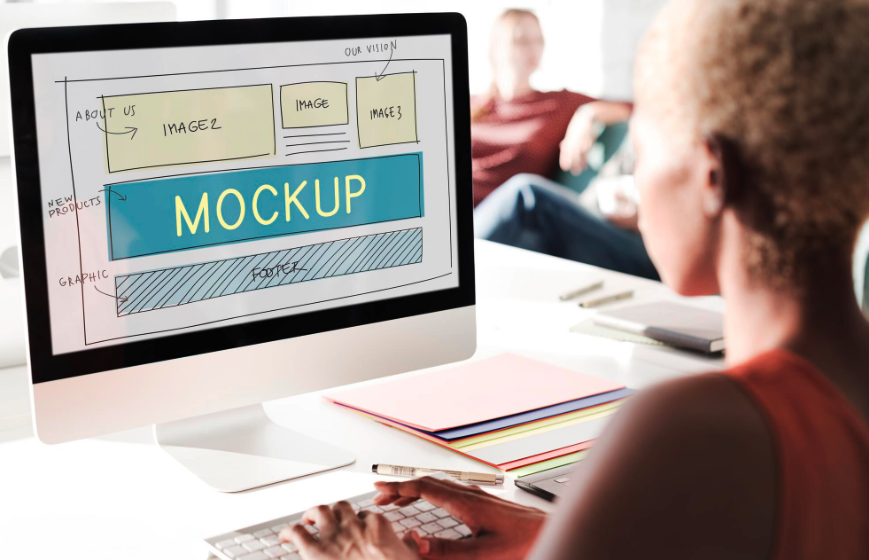
Wireframing and Prototyping
Professional designers create:
- Low-fidelity wireframes for layout and content hierarchy
- Interactive prototypes for testing user flows
- Responsive breakpoints for mobile, tablet, and desktop views
Tools like Figma or Adobe XD allow stakeholders to review and approve the structure before visual design begins.
Visual Design Development
The design phase produces:
- Custom page templates aligned with your brand guidelines
- Typography system and color palette
- UI component library for consistency
- Image treatment guidelines and placeholder content
- Accessibility considerations (WCAG 2.1 AA compliance)
Design Handoff Documentation
Professional teams provide developers with:
- Complete design specifications
- Asset libraries (icons, images, graphics)
- Style guides for future content creators
- Component behavior documentation
Example: A B2B software company redesigning their WordPress website might require custom calculator tools, case study templates, and integration with their demo scheduling system. Proper design documentation ensures developers build exactly what was envisioned.
Phase 3: Development and Implementation
This is where your professional WordPress website comes to life through clean, maintainable code.
Environment Setup
Professional development includes:
- Local development environment – Where developers build and test
- Staging server – Client review and QA environment
- Production server – Live website
- Version control – Git repository for code management
Theme Development
Expert WordPress developers either:
- Build custom themes from scratch for complete control
- Develop child themes for framework-based solutions
- Use starter themes like Underscores or Sage for efficiency
Never edit parent themes directly, as updates would overwrite customizations.
Plugin Selection and Custom Functionality
Professional approach to plugins:
- Audit for necessity – Only install essential plugins
- Check maintenance status – Recently updated, well-supported
- Review security records – No history of vulnerabilities
- Test performance impact – Measure page load effects
- Custom development – Build critical features as custom plugins for better control
| Category | Purpose | Example Options |
|---|---|---|
| SEO | Search optimization | Yoast SEO, Rank Math |
| Performance | Caching and optimization | WP Rocket, LiteSpeed Cache |
| Security | Protection and monitoring | Wordfence, Sucuri |
| Forms | Lead capture | Gravity Forms, WPForms |
| Backup | Disaster recovery | UpdraftPlus, BackupBuddy |
Content Management Structure
Professionals configure:
- Custom post types for specialized content
- Custom taxonomies for flexible organization
- Custom fields (ACF or similar) for structured data
- User roles and permissions
- Workflow states for content approval
Integration Implementation
Connect WordPress with your business systems:
- CRM platforms (Salesforce, HubSpot)
- Marketing automation (Marketo, Pardot)
- Analytics (Google Analytics 4, Matomo)
- E-commerce platforms
- Payment gateways
- Email service providers
WordPress REST API enables seamless integration with external applications.
Phase 4: Content Migration and Population
Moving content to your new professional WordPress website requires careful planning to preserve SEO value.
Content Audit and Cleanup
Before migration:
- Identify outdated or duplicate content to eliminate
- Update statistics and information
- Consolidate thin or redundant pages
- Optimize images and media files
SEO-Preserving Migration
Professional migration includes:
- 301 redirect mapping – Every old URL redirected to its new equivalent
- Canonical URL setup – Prevent duplicate content issues
- Schema markup implementation – Structured data for rich results
- Metadata migration – Preserve optimized titles and descriptions
- Internal link updating – Correct all cross-references
Content Optimization
During population:
- Format content for readability (headings, lists, short paragraphs)
- Add keyword-optimized metadata
- Include alt text for all images
- Implement internal linking strategy
- Add calls-to-action appropriately
Example: A manufacturing company migrating 500+ product pages from a legacy system would use automated tools with manual quality control to ensure every product maintains its search rankings while gaining improved conversion elements.
Phase 5: Testing and Quality Assurance
No professional WordPress website launches without comprehensive testing.
Functional Testing
Verify that:
- All forms submit correctly and trigger proper notifications
- Navigation works across all pages and devices
- Search functionality returns accurate results
- Media galleries and sliders operate smoothly
- User registration and login processes function properly
Cross-Browser and Device Testing
Test on:
- Chrome, Firefox, Safari, Edge (latest versions)
- iOS and Android mobile devices
- Various screen sizes from mobile to 4K displays
- Different operating systems
Performance Testing
Measure and optimize:
- Page load speed – Target under 3 seconds
- Time to First Byte (TTFB) – Server response time
- Largest Contentful Paint (LCP) – Main content rendering
- First Input Delay (FID) – Interactivity responsiveness
- Cumulative Layout Shift (CLS) – Visual stability
Use tools like Google PageSpeed Insights, GTmetrix, and WebPageTest.
Security Testing
Professional security audits include:
- Vulnerability scanning
- Penetration testing for critical sites
- SSL certificate validation
- File permission verification
- Database security review
- User access controls testing
SEO Technical Audit
Verify:
- XML sitemap generation and submission
- Robots.txt configuration
- Canonical tags implementation
- Open Graph and Twitter Card metadata
- Mobile-friendliness (Google Mobile-Friendly Test)
- Core Web Vitals compliance
Accessibility Testing
Ensure WCAG 2.1 compliance:
- Keyboard navigation functionality
- Screen reader compatibility
- Color contrast ratios
- Form label associations
- Alternative text for images
- Focus indicators
Phase 6: Launch and Deployment
Launching a professional WordPress website is a carefully orchestrated process, not simply pointing DNS.
Pre-Launch Checklist
Before going live:
- ✓ Full site backup created
- ✓ SSL certificate installed and tested
- ✓ Analytics and tracking codes implemented
- ✓ Search Console and analytics properties configured
- ✓ Email notifications tested
- ✓ Cache warming completed
- ✓ CDN configured (if applicable)
- ✓ Monitoring tools activated
- ✓ Client training completed
Deployment Process
Professional deployment follows this sequence:
- Final staging review – Client approval on staging environment
- Database migration – Transfer final content and settings
- File sync – Deploy theme, plugins, and media
- DNS update – Point domain to production server
- SSL verification – Confirm secure connection
- Redirect testing – Verify 301 redirects function
- Smoke testing – Quick functional verification post-launch
- Search engine notification – Submit updated sitemap
Post-Launch Monitoring
Critical first 48 hours:
- Monitor server resources and error logs
- Track search console for crawl errors
- Verify analytics data collection
- Check form submissions and email deliveries
- Monitor site speed under real traffic
- Review user feedback channels
Phase 7: Training and Handover
A professional WordPress website includes comprehensive client training.
Content Management Training
Cover:
- Adding and editing pages and posts
- Working with the visual editor and blocks
- Managing media library
- Creating and managing navigation menus
- User management and roles
- Plugin settings and configuration
Maintenance Procedures
Document:
- Update schedule and process
- Backup verification procedures
- Security monitoring protocols
- Performance optimization tasks
- Support contact information and escalation paths
Documentation Delivery
Professional handover includes:
- Site architecture documentation
- Custom functionality guides
- Design system and style guide
- Plugin inventory and purposes
- Server and hosting details
- Emergency procedures manual
Phase 8: Ongoing Maintenance and Optimization
The professional WordPress website process doesn’t end at launch—it evolves continuously.
Regular Maintenance Tasks
Monthly activities:
- WordPress core, theme, and plugin updates
- Security scans and vulnerability checks
- Backup verification and testing
- Performance monitoring and optimization
- Broken link checking
- Database optimization
- Uptime monitoring
Continuous Improvement
Quarterly reviews:
- Analytics analysis and goal tracking
- User behavior and heatmap review
- A/B testing results evaluation
- Content performance assessment
- SEO rankings monitoring
- Conversion rate optimization opportunities
- Technical SEO audits
Growth and Scaling
As your business evolves:
- Add new features and functionality
- Expand content strategy
- Implement advanced personalization
- Integrate additional business systems
- Optimize for emerging technologies
- Refine user experience based on data
Example: An e-commerce business that launched with 50 products might add multi-currency support, customer account dashboards, and AI-powered product recommendations as they scale to international markets.
Choosing the Right Development Partner
When evaluating agencies or freelancers for your professional WordPress website, look for:
Technical Expertise Indicators
- Portfolio of diverse WordPress projects
- Demonstrated performance optimization skills
- Security-first development approach
- Experience with your industry or business model
- Modern development workflow (Git, staging, CI/CD)
Process Maturity
- Structured discovery and planning methodology
- Clear communication and project management
- Defined testing and QA procedures
- Post-launch support offerings
- Transparent pricing and timelines
Business Understanding
- Questions about your goals, not just features
- Strategic recommendations based on experience
- Understanding of conversion optimization
- Integration with your broader marketing efforts
- Long-term partnership mindset
Conclusion: Invest in Process for Long-Term Success
Creating a professional WordPress website is significantly more involved than using a template and publishing content. The difference lies in the structured process: thorough planning, strategic design, clean development, comprehensive testing, and ongoing optimization.
This professional approach delivers:
- Faster time-to-market through efficient workflows
- Lower total cost of ownership with maintainable code
- Better performance from day one
- Stronger security posture protecting your business
- Higher conversion rates through UX optimization
- Greater scalability as your business grows
Whether you’re building your first WordPress site or replacing an underperforming one, following this professional process—or partnering with an agency that does—ensures your investment delivers measurable business results.
Ready to Start Your Professional WordPress Website Project?
Our experienced WordPress development team follows this proven process to deliver websites that drive business growth. From discovery to ongoing optimization, we partner with B2B companies to create high-performing digital experiences.